
Any.do: review, pricing and alternatives
What is Any.do? An AI Assistant for Your Tasks
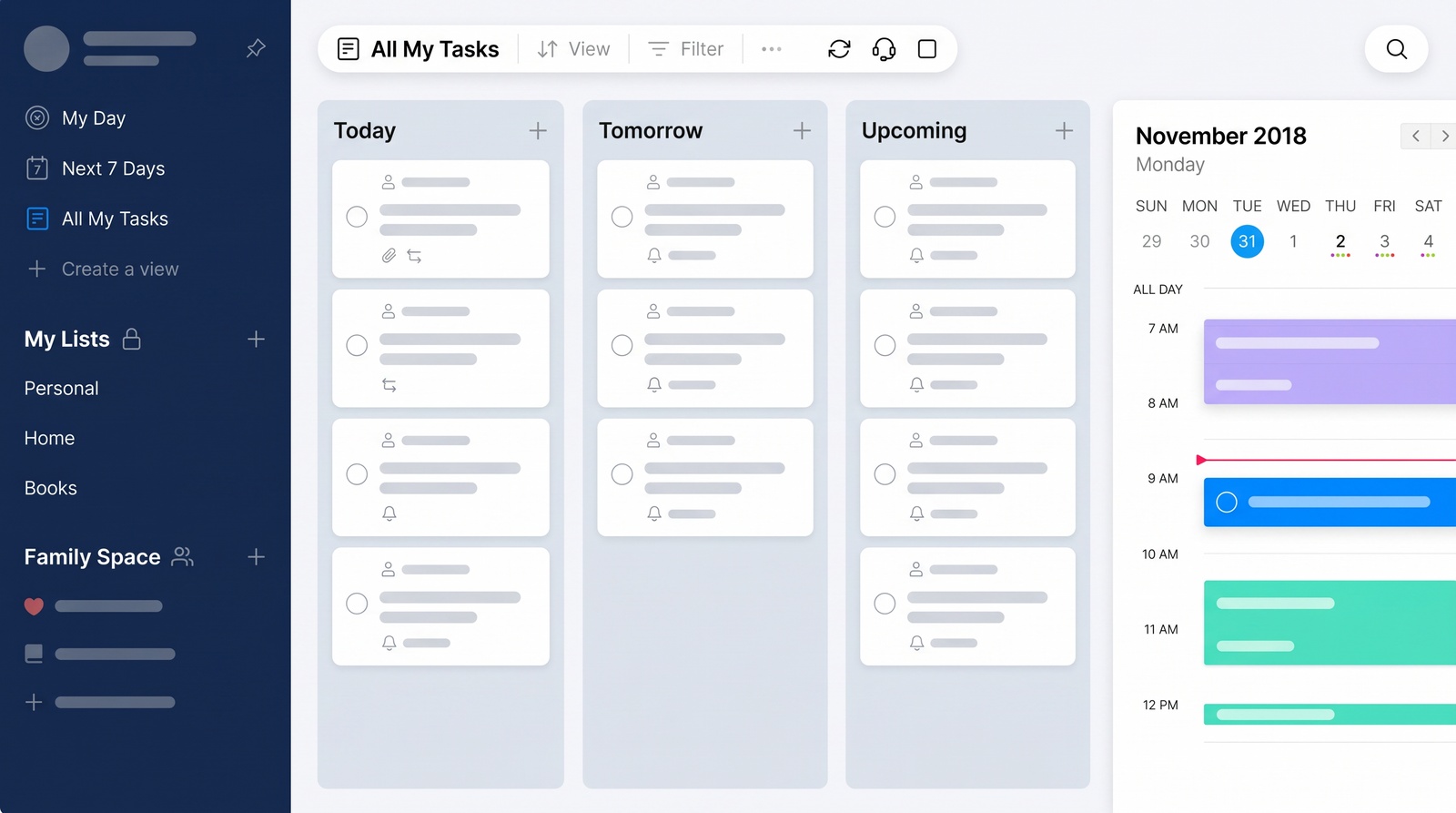
When I first encountered Any.do, I was looking for a straightforward way to keep my daily tasks in order without getting bogged down by overly complex project management tools. Any.do positions itself primarily as a task management and calendar application, designed to help individuals, families, and even small teams organize their busy lives. It's often lauded for its simplicity and ability to consolidate various planning functions into one accessible platform.
While Any.do isn't a conversational AI in the vein of a chatbot, its categorization as an 'AI Assistant' largely stems from intelligent features that streamline task management. The most prominent of these is its daily sorting process, often referred to as 'Moments.' This feature prompts you each morning to review and prioritize your tasks for the day, which feels less like a chore and more like a helpful nudge from a digital assistant. It intelligently guides you through what needs attention, helping you focus.
The core purpose of Any.do is to simplify organization. Whether you're managing a personal to-do list, coordinating grocery runs with your family, or tracking basic assignments for a small team, it aims to provide a clear overview and effective reminders. It's built on the idea that staying organized shouldn't require a steep learning curve, offering a clean interface that makes task creation and tracking feel intuitive. This focus on user-friendliness and daily guidance is where its 'assistant' capabilities truly shine, making the often-daunting task of staying on top of everything feel manageable.
Ultimately, Any.do serves as a digital hub for your commitments. It's not about replacing human interaction or performing complex analytical tasks, but rather about providing smart tools that anticipate your organizational needs. By integrating a calendar, reminders, and a task list, it attempts to be a comprehensive, yet easy-to-use, personal productivity companion that helps you get things done with minimal fuss.
Key Features of Any.do
Diving into Any.do, I quickly discovered that its strength lies in a carefully curated set of features designed for practical, everyday use. The standout for me, and for many users, is the unique daily task sorting process, affectionately known as 'Moments.' Every morning, Any.do prompts you to review your pending tasks, allowing you to quickly prioritize, reschedule, or mark items as complete. This proactive approach to task management genuinely helps in starting the day with a clear focus, preventing tasks from piling up unnoticed.
Reminders are another area where Any.do excels, offering a versatility that caters to almost any need. You're not just limited to basic alerts; it provides one-time reminders for singular events, recurring reminders for habits or regular appointments, and even location-based reminders that trigger when you arrive at or leave a specific place. A particularly neat touch is the ability to create tasks and receive reminders directly through WhatsApp, which can be incredibly convenient for many. Voice reminders also add a layer of hands-free efficiency, allowing you to capture ideas on the go without typing.
For those who rely heavily on their calendar, Any.do integrates this seamlessly with your task list. It offers multiple calendar views—daily, 3-day, weekly, and agenda—allowing you to see your schedule and tasks side-by-side. This integration ensures that your to-dos are always contextualized within your broader commitments, helping you avoid scheduling conflicts and manage your time more effectively. I found this particularly useful for planning my week, as it provides a holistic view of my obligations.
Beyond scheduling, Any.do supports practical functionalities like file attachments, letting you add documents, photos, or any relevant files directly to your tasks. This keeps all necessary information centralized, reducing the need to search through different apps. For collaborative efforts, the platform includes robust task sharing and collaboration capabilities. You can share your to-do lists with family, friends, or colleagues and assign specific tasks, making it a viable option for coordinating shared projects or household chores. This suite of features, from smart sorting to diverse reminders and collaboration tools, forms the backbone of Any.do's appeal as a comprehensive yet intuitive organizer.
User Experience and Interface
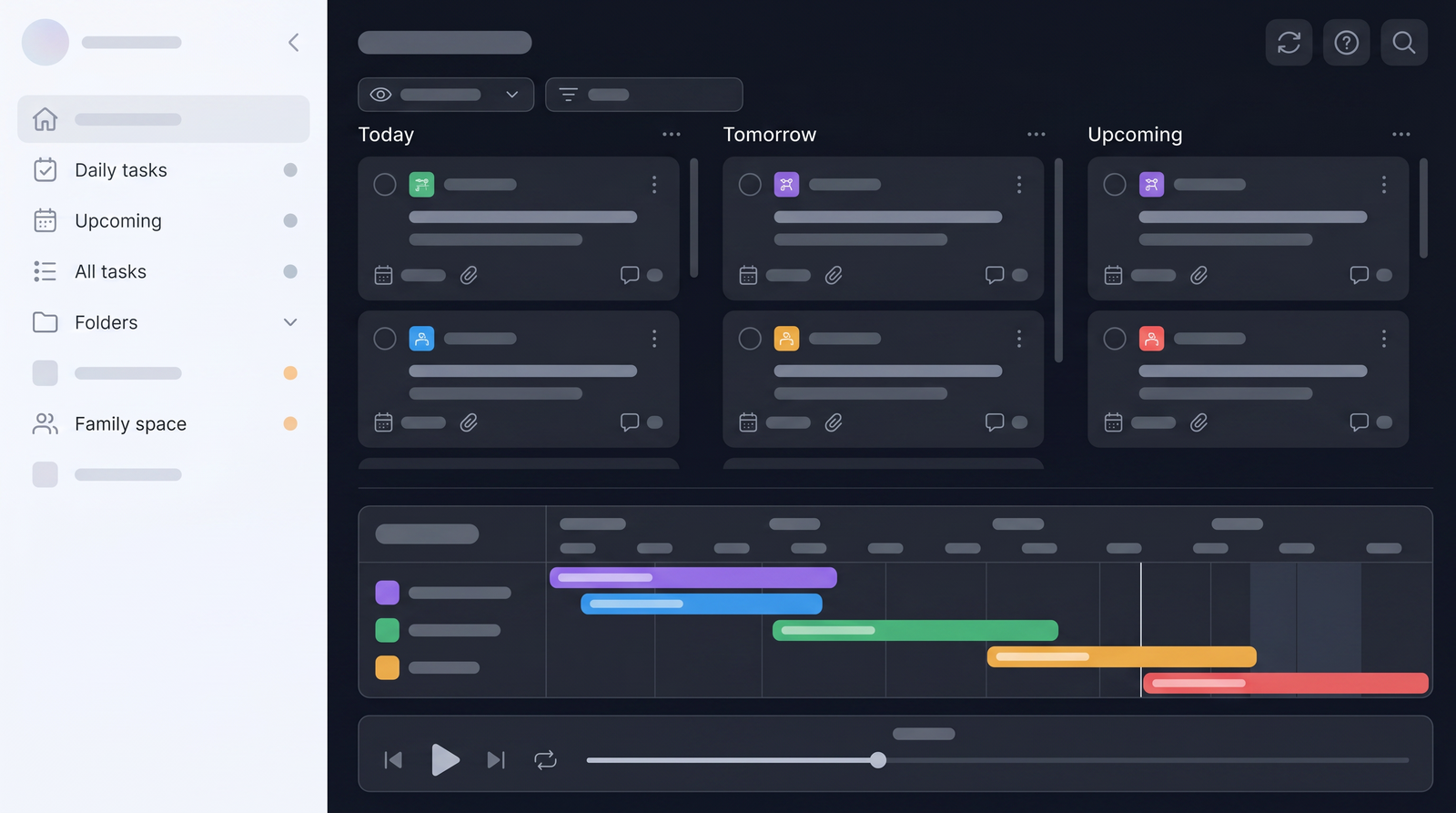
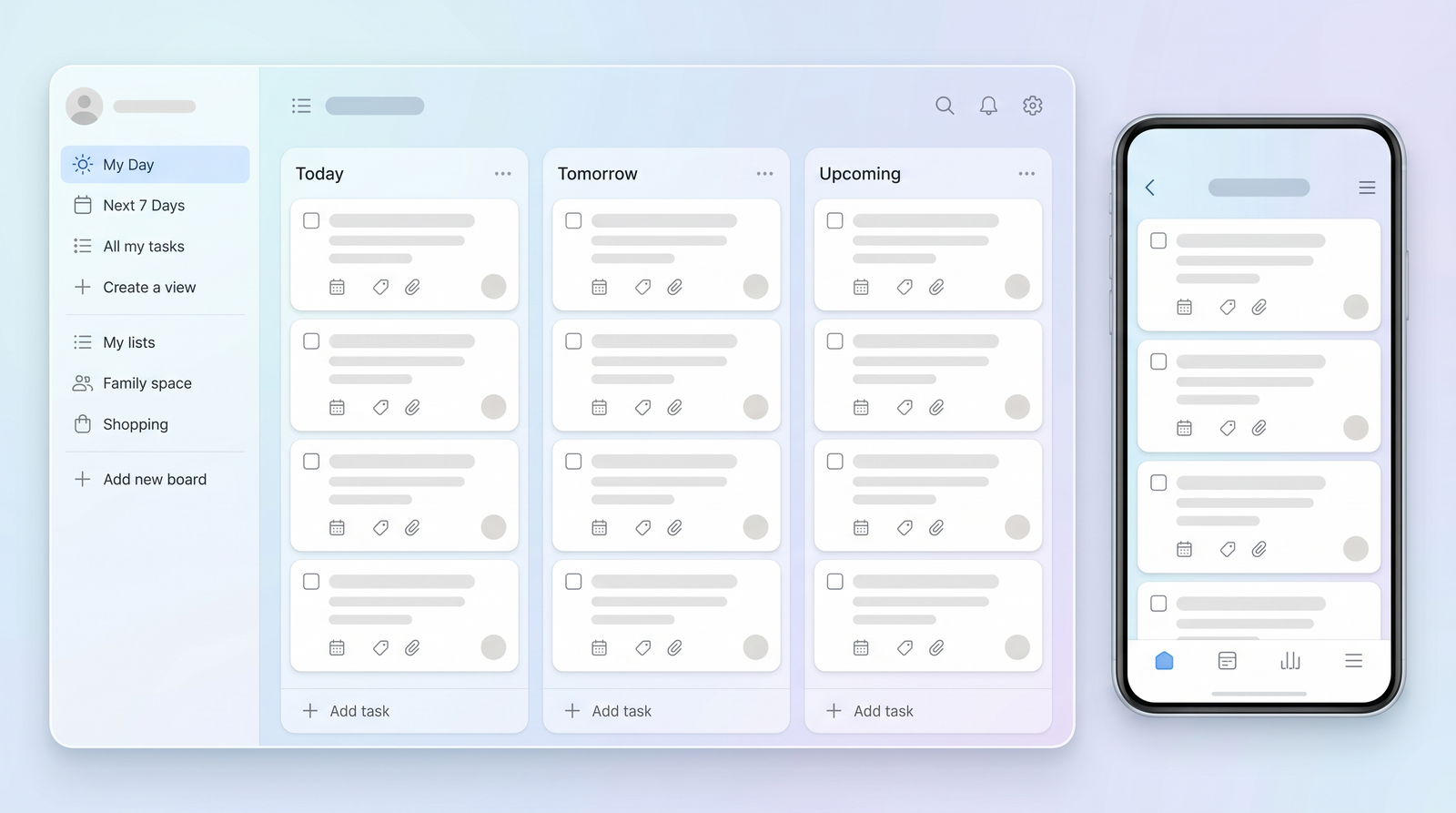
From the moment I first launched Any.do, I was struck by its clean, minimalist design. The interface is refreshingly uncluttered, avoiding the visual noise that can often make productivity apps feel overwhelming. This focus on simplicity means that navigation is intuitive, and finding what you need or creating a new task is generally a straightforward process. The aesthetic is modern and pleasing, contributing to a less stressful task management experience.
Task management within Any.do feels fluid and natural, largely thanks to its excellent drag-and-drop functionality. Reordering tasks, moving them between lists, or adjusting their priority is as simple as a swipe or a click. Marking tasks as complete is also satisfyingly easy, typically involving a quick swipe. This responsiveness and ease of interaction make the daily chore of managing a to-do list feel less like work and more like an efficient routine. Initial setup is also a breeze; getting started with your first tasks and reminders takes very little time, allowing you to jump right into organizing.
One of Any.do's most reliable aspects is its cross-device synchronization. Whether I was on my phone, tablet, or desktop, my tasks and calendar events updated almost instantly across all platforms. This seamless sync is crucial for anyone who switches between devices frequently, ensuring that your task list is always current, no matter where you are. It’s a foundational element of any good productivity app, and Any.do truly delivers here, making sure you never miss a beat.
However, my experience also revealed some limitations, particularly when it came to more advanced task organization. While the simple, flat list structure is great for quick overviews, attempting to create complex hierarchies or reformat tasks with specific nested sub-tasks or custom display options can feel difficult. The clean layout, while generally a strength, can become a constraint if you require intricate project structures. Users accustomed to highly customizable task views might find Any.do's approach a bit rigid, as it prioritizes ease of use over deep organizational flexibility. This means that while it excels at simple, day-to-day management, it might not be the best fit for highly complex projects requiring extensive categorization or detailed reformatting.
Pricing and Plans: What Does Any.do Cost?
Understanding the cost structure of Any.do is crucial for deciding if it's the right tool for your needs, especially since the free plan has some notable limitations. Any.do operates on a freemium model, offering a basic free version alongside paid subscription tiers. While the free plan allows you to create tasks and lists, you'll quickly find that many of the features that make Any.do truly powerful—like recurring reminders, location-based reminders, and advanced collaboration—are locked behind a paywall.
The paid plans typically range from around $4.99 per month when billed annually. This monthly fee unlocks the full suite of features, including all reminder types, unlimited file attachments, and priority support. For an individual who relies heavily on robust reminders and seamless syncing across all devices, this price point can offer significant value. However, it's worth noting that the free plan's limitations can be quite restrictive, especially when compared to competitors that offer more features in their no-cost tiers.
One aspect of the pricing that can be a bit of a surprise, particularly for those looking to collaborate, is the additional cost associated with task sharing. While Any.do promotes its collaboration features, if you opt for a single-user or two-user license, sharing tasks with others might incur an extra charge, potentially around $5 per month for each additional user you want to share tasks with. This can quickly add up and wasn't immediately clear to me when I first looked into the service, which could feel like a hidden cost for teams or families intending to use it extensively for shared lists.
When considering the value proposition, Any.do's paid features definitely enhance productivity, making the daily 'Moments' feature, diverse reminders, and file attachments much more impactful. However, you need to weigh these benefits against the cost and the limitations of the free plan. For basic personal task management, the free tier might suffice, but for anyone needing more advanced functionalities or collaborative capabilities, the subscription becomes essential. The decision ultimately comes down to how deeply you plan to integrate Any.do into your daily workflow and whether the cost aligns with your budget for a premium productivity tool.
| Plan | Price | Best for |
|---|---|---|
| Free | $0 | Basic personal to-do lists, simple task creation |
| Premium (Annual) | ~$4.99/month | Individuals needing advanced reminders, calendar integration, file attachments, full features |
| Premium + Sharing | ~$4.99/month + ~$5/month per additional shared user | Individuals or small groups requiring full features and dedicated task collaboration |
Integrations and Ecosystem
One of the aspects that truly elevates a productivity tool is its ability to play well with others, and Any.do boasts an impressive list of integrations. It’s designed to fit into your existing digital ecosystem rather than demanding you overhaul it. I found that its connections to popular calendar services like Google Calendar, Outlook Calendar, and even Facebook events were seamless, ensuring all my appointments and tasks appeared in one unified view. This is incredibly helpful for maintaining a holistic understanding of my schedule without constantly switching between apps.
Beyond calendars, Any.do integrates with a broad spectrum of other productivity and communication tools. You can connect it with services like WhatsApp for easy task creation and reminders, Slack for team communication, Gmail for email management, and even Google Assistant and Amazon Alexa for voice commands. This extensive connectivity means you can often create tasks or receive notifications from within the apps you already use daily, reducing friction in your workflow. The inclusion of Zapier integration further expands its reach, allowing for custom automations with hundreds of other services, which can be a huge time-saver for power users.
However, while the list of integrations is long and impressive, my research uncovered some reported challenges, particularly concerning data migration from other services. For instance, while Any.do claims integration with tools like Todoist, users have reported that migrating tasks from these platforms might not bring over all the associated data, such as comments or file attachments. This can be a significant drawback if you're transitioning from another robust task manager and expect a complete transfer of your historical data. It's an important consideration for anyone looking to switch their primary task management system.
Despite these potential migration issues, the sheer breadth of Any.do's integrations generally enhances its utility. The ability to link with widely used tools like Evernote, Trello, Asana, and even Microsoft To-Do suggests a commitment to being a central hub for various digital activities. For most users, these integrations will work effectively, helping to streamline workflows and consolidate information. Just be mindful of the nuances if you're planning a full data migration from a competitor, as some details might not transfer as smoothly as you'd hope.
Any.do's Strengths: Pros
Having spent time with Any.do, several strengths consistently stand out, making it a compelling choice for many users. The first thing that always impresses me is its incredibly clean and intuitive design. The user interface is minimalist, easy on the eyes, and avoids clutter, which contributes significantly to a less stressful and more focused task management experience. This design philosophy extends to its ease of use; setting up tasks and reminders is straightforward, allowing you to get organized quickly without a steep learning curve.
Another major advantage is Any.do's highly effective reminder system. It’s not just about simple alerts; the platform offers a diverse range of reminder types, including one-time, recurring, location-based, and even voice reminders. The ability to receive task reminders directly via WhatsApp is a particularly useful innovation for many. This comprehensive approach ensures that you're gently prompted about your commitments in a way that suits your specific needs and context, making it very difficult to miss important deadlines or appointments.
The smooth mobile-desktop synchronization is another significant strength. I’ve found Any.do to sync tasks and calendar events almost instantly across all my devices. This reliability means I can start a task on my phone, pick it up on my computer, and review it on my tablet without any lag or discrepancies. This cross-platform consistency is foundational for seamless productivity and helps users manage their tasks from anywhere, at any time.
Finally, the unique daily sorting process, often referred to as 'Moments,' is a standout feature that genuinely helps with daily prioritization. This morning ritual of reviewing and planning your day's tasks is a powerful habit-forming tool that many users, myself included, find incredibly beneficial. Combined with its robust collaboration features, which allow for easy sharing and assignment of tasks within families or small teams, Any.do offers a well-rounded and user-friendly solution for staying on top of your personal and shared responsibilities.
Any.do's Weaknesses: Cons and Criticisms
While Any.do offers many compelling features, my experience and aggregated user feedback highlight several areas where the application falls short or could be improved. One of the most common criticisms revolves around its free plan. While it's a good starting point, the free version is quite limited, lacking many of the advanced features that make Any.do truly effective, such as recurring reminders and location-based alerts. This often means users quickly hit a paywall to access the full functionality, which can feel restrictive compared to competitors that offer more robust free tiers.
Another pain point I've noticed and seen echoed by other users is the difficulty in organizing complex tasks. While the clean interface is excellent for simple to-do lists, Any.do can struggle with advanced task hierarchies or intricate project management. If you need to create deeply nested sub-tasks, highly customized views, or reformat tasks in specific ways, the system can feel rigid and challenging to manipulate. This limitation means it might not be the best fit for individuals or teams dealing with highly complex projects requiring extensive categorization and detailed structuring.
Integrations, despite being numerous, aren't always as seamless as one might hope, particularly concerning data migration. Reports indicate that when attempting to transfer data from other popular task managers like Todoist, critical elements like comments or file attachments may not migrate successfully. This can be a significant frustration for users trying to consolidate their workflow into Any.do, as it forces manual re-entry or loss of valuable context. Such issues can undermine the perceived benefit of having a wide array of integrations.
Finally, some users have reported less-than-ideal support experiences. While my personal interactions have been limited, feedback suggests that when issues arise, the support team can sometimes be unhelpful or dismissive, failing to provide satisfactory solutions to problems, especially regarding pricing structures or integration quirks. This can be a critical weakness for users who rely on prompt and effective assistance when encountering technical difficulties or needing clarity on features. The additional cost for task sharing on certain plans can also be a point of contention, as it's not always transparently communicated upfront, leading to unexpected expenses for collaborative users.
Who is Any.do Best For? Use Cases
Based on my time with Any.do and surveying user feedback, it's clear that this application excels for specific user profiles and use cases. Primarily, Any.do is an excellent choice for individuals seeking a straightforward and visually appealing tool to manage their personal tasks. If your needs revolve around daily to-do lists, setting reminders for appointments, or keeping track of personal goals, its clean interface and effective reminder system will serve you very well. The 'Moments' feature, in particular, is a game-changer for anyone who wants a gentle daily nudge to prioritize their day.
Families also stand to benefit significantly from Any.do, especially for shared organizational needs. Whether it's coordinating grocery lists, assigning household chores, planning family events, or simply keeping everyone on the same page, the collaboration features make it easy to share lists and assign tasks. This can reduce friction in household management and ensure that everyone knows their responsibilities without constant verbal reminders. It’s a practical tool for keeping family life running smoothly.
For small teams, Any.do can be a viable option for basic task coordination. If your team requires a simple way to assign and track tasks, share project lists, and ensure everyone is aware of deadlines, Any.do offers the necessary features without the complexity of full-fledged project management software. It’s particularly suited for teams that value simplicity and quick setup over intricate project hierarchies or advanced reporting capabilities. For instance, a small marketing team might use it to track content creation tasks or social media posts.
In essence, Any.do shines brightest for those who value simplicity, effective reminders, and a clean user experience for day-to-day organization. It’s less about managing highly complex, multi-stage projects and more about ensuring that the everyday tasks—personal, family, or basic team-related—are captured, prioritized, and completed efficiently. If you're someone who feels overwhelmed by overly feature-rich apps and just wants to get things done without fuss, Any.do is likely a strong contender for your needs.
Any.do Alternatives and Comparison
When considering Any.do, it’s only natural to compare it with its direct competitors and understand where it stands in the broader productivity landscape. The most frequent comparison, and one I've made myself, is with Todoist. Both are solid list-based productivity apps, but they have distinct differences, particularly concerning their free offerings. I found that Todoist generally provides access to more features in its free plan, including some administrative controls and templates, which can make it a more appealing starting point for users who aren't ready to commit to a subscription.
While Any.do's 'Moments' feature offers a unique daily sorting process, Todoist often provides more flexibility in task organization with its natural language input and more robust project structuring capabilities. The user experience in both is clean, but Todoist tends to cater a bit more to users who might eventually need to scale up their task management complexity, whereas Any.do maintains a stronger focus on elegant simplicity for daily tasks. However, Any.do's reminder system, especially the WhatsApp integration, can be a differentiator for some.
Beyond direct competitors like Todoist, Any.do also stands in contrast to broader project management software such as monday.com, ClickUp, or Asana. These platforms are designed for much larger, more complex projects, offering extensive features like Gantt charts, detailed reporting, advanced automation, and sophisticated team collaboration tools. Any.do, while offering team plans and sharing capabilities, cannot compare to the depth and breadth of these dedicated project management solutions. It's not trying to be a full-fledged PM tool, and it's important to set expectations accordingly.
Ultimately, the choice between Any.do and its alternatives often comes down to individual needs and budget. If you prioritize a minimalist interface, unique daily task sorting, and diverse reminder options, Any.do is a strong contender. But if a more feature-rich free plan, advanced project structuring, or enterprise-level project management capabilities are what you're after, you might find better fits elsewhere. You can explore how it stacks up against many other tools on Top10k to find the perfect match for your workflow.
The Verdict: Is Any.do Worth It in 2026?
After thoroughly exploring Any.do, weighing its strengths against its drawbacks, I can offer a conclusive summary of whether it truly fulfills its promises in today's crowded productivity app market. Any.do largely succeeds in its core mission: to provide a simple, clean, and effective tool for managing personal tasks, family projects, and basic team coordination. Its beautiful interface, intuitive drag-and-drop task management, and reliable cross-device synchronization are genuinely impressive and contribute to a smooth user experience.
The 'Moments' daily sorting feature remains a standout, offering a unique and helpful way to prioritize tasks each morning. Coupled with its versatile reminder system—including one-time, recurring, location-based, and even WhatsApp reminders—Any.do makes it exceptionally difficult to miss important commitments. For individuals and families seeking a straightforward, visually appealing app to keep their daily lives organized, Any.do certainly delivers on its promise of simplifying productivity.
However, the value proposition becomes a bit more nuanced when considering its limitations. The free plan is quite restrictive, pushing users towards a paid subscription for essential features. Furthermore, while excellent for simple tasks, Any.do struggles with more complex organization, making it less suitable for intricate projects or users who require deeply nested task hierarchies. The reported issues with data migration from other services and occasional unhelpful support experiences are also points of concern that potential buyers should consider.
So, is Any.do worth it in 2026? For those who prioritize a clean design, effective daily task sorting, and robust reminders for personal or simple shared tasks, a premium subscription to Any.do offers significant value. It's a fantastic tool for decluttering your mental load and ensuring everyday items get done. However, if you require extensive features in a free plan, need complex project management capabilities, or are planning a full migration from another feature-rich task manager, you might find its limitations frustrating. My recommendation is to try the free version to see if its core simplicity aligns with your workflow, but be prepared to invest in the premium tier to unlock its full potential, keeping in mind its specific strengths and weaknesses.
Full profile and live ranking: https://top10k.com/ai/anydo
Published by

Top10k Tools operates as a free online platform providing thousands of free online tools built to get things done faster.
It brings together a broad mix of SEO tools, converters, dev utilities, and image editors. Each tool runs right in the browser, making them quick to access anywhere.
Top10k Tools is working toward creating a complete library of 10,000 online utilities people actually need.
From freelancers to small teams, the right tool is just a click away. Jump in and start exploring.
Frequently asked questions
What is Any.do's 'Moments' feature?
Any.do's 'Moments' is a unique daily sorting process that prompts users each morning to review and prioritize their tasks for the day. It helps you focus on what needs to be done, allowing you to quickly reschedule, mark as complete, or re-prioritize items, making daily planning more intuitive.
What are the main differences between Any.do's free and paid plans?
The free plan of Any.do offers basic task and list creation. However, many advanced features like recurring reminders, location-based reminders, unlimited file attachments, and full collaboration capabilities are only available with a paid subscription. The free plan is quite limited compared to the premium tiers.
Can I share tasks and collaborate with others on Any.do?
Yes, Any.do supports task sharing and collaboration, allowing you to share lists and assign tasks to family, friends, or colleagues. However, be aware that for some plans, there might be an additional monthly cost per user to enable full task sharing functionality beyond a single user.
Does Any.do integrate with other popular apps?
Any.do boasts extensive integrations with various productivity tools, including Google Calendar, Outlook, WhatsApp, Slack, Gmail, Zapier, and more. While these integrations are generally effective, some users have reported issues with complete data migration, such as comments or files not transferring, when switching from other services.
Is Any.do easy to use for beginners?
Yes, Any.do is widely praised for its clean, minimalist interface and intuitive user experience. Creating tasks, setting reminders, and managing lists are straightforward processes, making it very easy for beginners to get started with organizing their daily tasks and schedules.
How does Any.do compare to Todoist?
Any.do and Todoist are both effective list-based apps. Any.do offers a unique 'Moments' daily sorting feature and diverse reminders, while Todoist often provides more features in its free plan and greater flexibility for complex task organization. The choice depends on whether you prioritize simplicity or advanced structuring.
Is Any.do suitable for complex project management?
While Any.do can handle basic team coordination and shared lists, it is not designed for complex project management. It lacks the advanced features found in dedicated project management software like Gantt charts, detailed reporting, or intricate task hierarchies, making it less suitable for highly complex projects.